Create Labor Rates
Syncro allows you to create and manage various types of labor, which you can later associate with Tickets and customer Invoices.
Tip: You can select a default labor rate for a specific User, which will automatically appear whenever the user creates a Ticket Timer or updates entries in the Labor Log/Ticket Timer. See “Default Labor Product” in User Fields Reference.
To create a new labor rate, follow these steps:
- Navigate to the Products & Services tab. If available, a list of existing items appears in the Products table.
- Click +New Item. The New Product page displays, with the Product Details tab selected.

- Complete any required fields. See also: Products & Services Fields Reference.
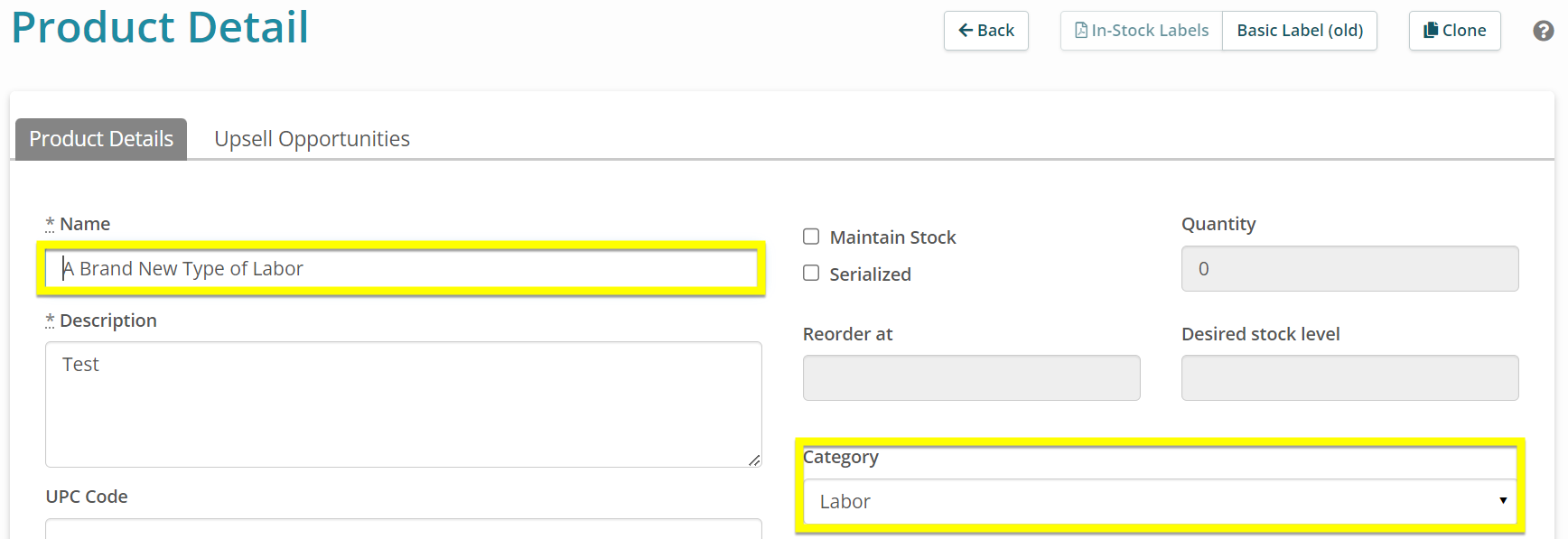
Be sure to create a descriptive name for the new labor rate, so you can recognize it later.
IMPORTANT: For the item to be treated as “labor,” you must select “Labor” from the Category dropdown field:
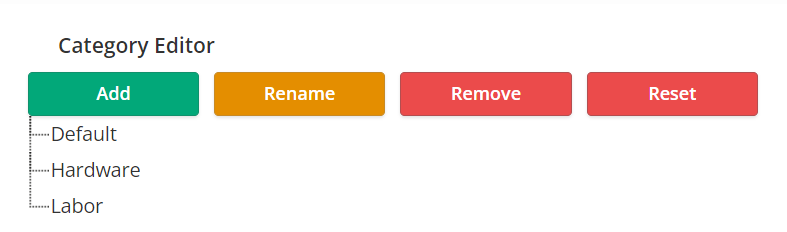
Tip: The “Labor” category ships with new Syncro accounts by default. To add Categories, navigate to Admin > Inventory - Preferences. Then scroll down to the Category Editor:
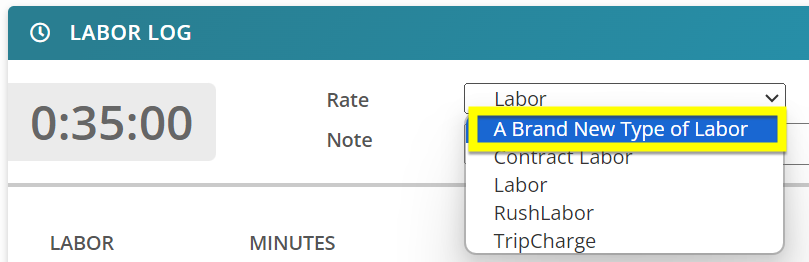
Items treated as labor appear in the the Labor Log “Rate” dropdown menu, and have quantities calculated as fractions of time. See also: Add Billable Time to a Ticket.